I realised I still needed to figure out how exactly I was going to composite all of layers and animations into After Effects. I luckily found this incredible tutorial that I remembered stumbling across years ago, but at the time had no idea what the guy was saying or how to comprehend it and put it into my own work. But now, I have for sure improved on After Effects, I am by no means a master but I know enough about how it works to see me through this animation.
Heres the tutorial that I used to help me get the desired effect:
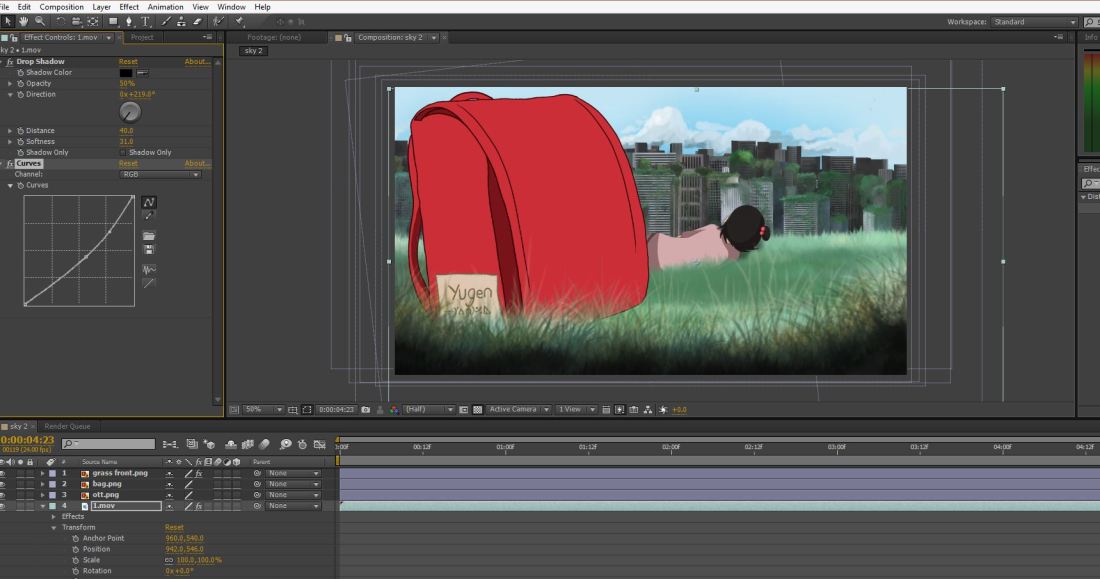
So to begin with, all the layers are separate PNGS, this way it is so much easier to add effects like lighting, masks and shading without it affecting another layer and making the image look strange. So I played around with masks, lighting and colour correction until I was satisfied with the final outcome.
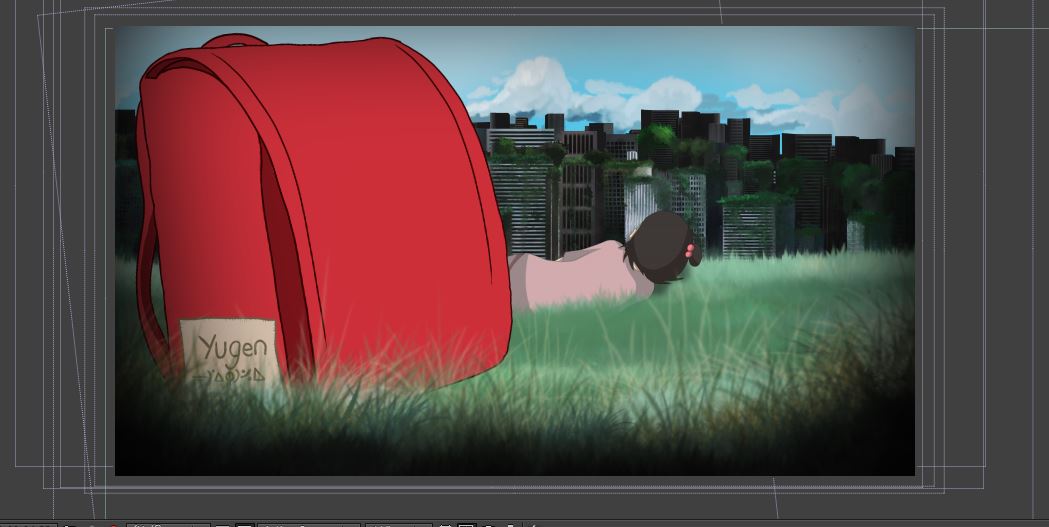
Here was the first test, I composited everything into After Effects just to check how it would look. I realised that something was slightly of in regards to the perspective and it wasn’t very comfortable to look at. So this scene was completely based of my initial storyboard draw up but I soon realised it wasn’t going to work this way.
So this is my second take, which is the animation you can see me working above on in the screenshots, so here you can see a huge difference in regards to perspective, colour, shade and lighting aswell as the grass moving in the foreground and the clouds in the background.

 CCH-Animation Degree